 Item-Options
Stand: 19.12.2025
Item-OptionsStand: 19.12.2025
|
<< Click to Display Table of Contents >> Navigation: Reference > File > Items >
|
Bildschirmliste
Objekt |
Funktion |
Bemerkungen |
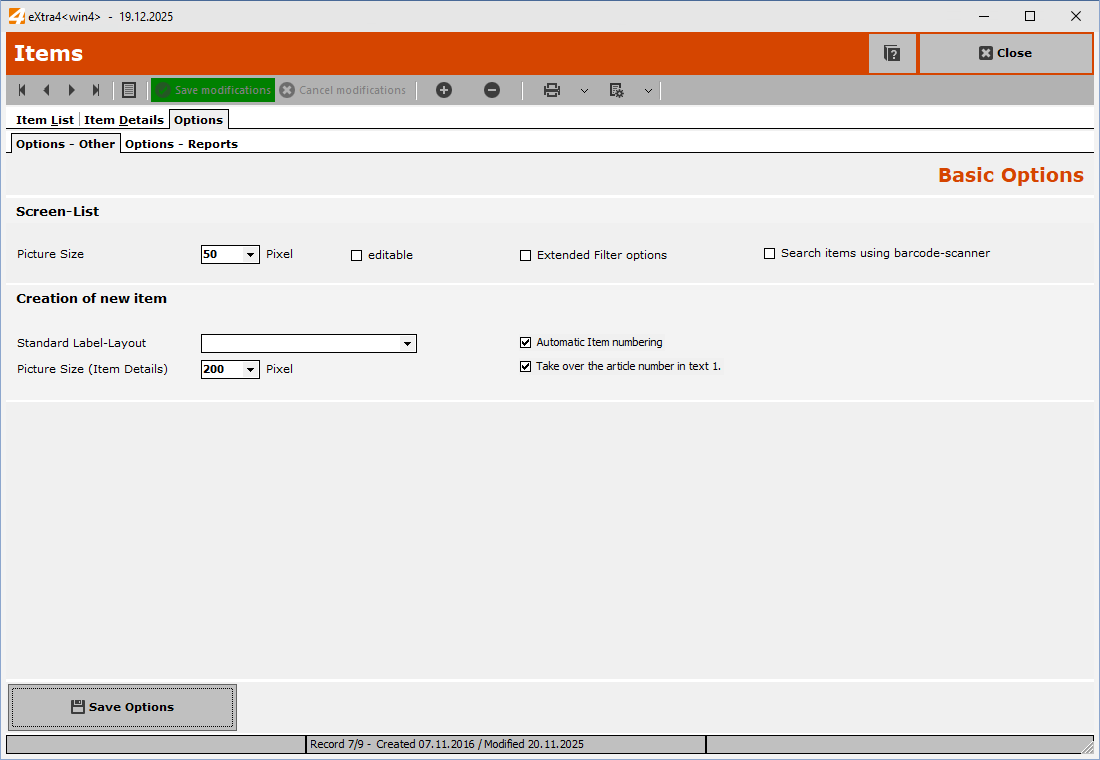
Picture Size |
The size of the image in the item list |
|
editable |
This allows the screen list to be made editable so that entries (item details) can be entered directly in the list if necessary.
|
This option is automatically deactivated when you exit the module. |
Extrended Filter Options |
This allows the filter options for the screen list to be activated in the screen list. |
The filter options for the screen list are very extensive and are described in a separate topic
|
Search items using bacode-scanner |
As a rule, each time a character is entered in the item number field of the item list, the next item that matches the characters entered so far is displayed. In this way, each character entered brings you closer to the item you are looking for.
If you want to search for an item by scanning its barcode, evaluating each scanned character would slow down the search process. It is therefore advisable to activate this function when scanning items.
|
Creation of new items
Objekt |
Funktion |
Bemerkungen |