 Item-Details
Stand: 19.12.2025
Item-DetailsStand: 19.12.2025
|
<< Click to Display Table of Contents >> Navigation: Reference > File > Items >
|
Objekt |
Funktion |
Bemerkungen |
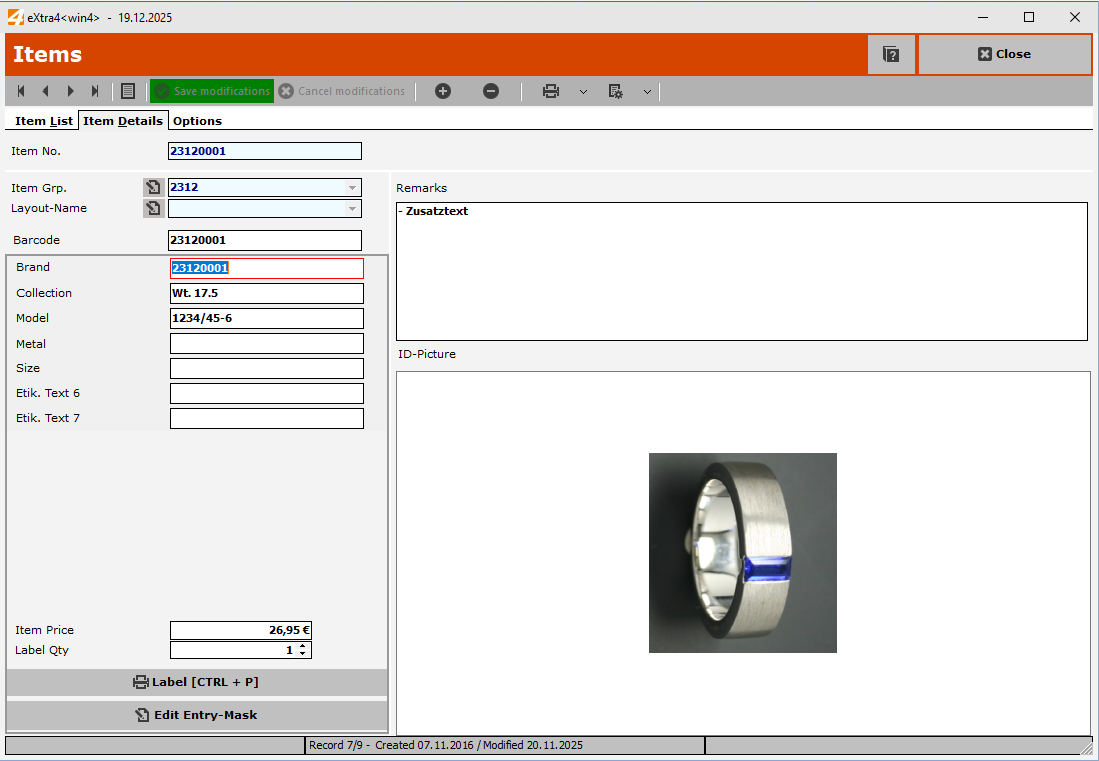
Item no. |
Display |
Once an item number has been assigned, it cannot be changed retrospectively (primary index). If an item number needs to be changed due to an error, the incorrect item number must first be deleted and the correct item number created.
|
Item group |
Item group to which the item belongs. |
Is automatic item numbering enabled? |
Layout name |
||
Barcode |
||
Label data |
Text 1 - 14 Item price Number of labels |
|
Button - Print label |
||
Button - Edit input mask |
||
Comments |
||
ID image |
||