 Items
Items|
<< Click to Display Table of Contents >> Navigation: Reference > File >
|
In the "Items" module, you can
- create, delete and maintain
- search (including full-text search)
- print item reports
Panel

Object |
Function |
Remarks |
|
Move the record pointer to the - first - previous - next - last record
|
|
|
Green = There are currently no changes to the current data record
Red = The current data record has been changed and can be saved using these button.
|
The button is "inactive"
The button is "active" |
|
The changes to the current data record can be undone with this.
|
|
|
Creating an item in two variants a) Automatic item numbering (item group must be selected beforehand) b) Individual assignment of item numbers (item number must be entered in the search field beforehand)
|
|
|
Deletes the currently selected item |
|
|
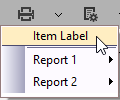
Printing of article data as a) a label in accordance with the assigned layout b) List print (Report) |